
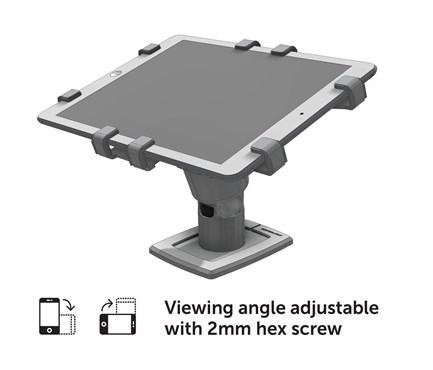
An iPad kiosk is a tablet fixed to a counter, wall or stand so customers or staff can use it without anyone walking off with it. GRiPZO builds that kiosk with a mechanical holder: hardened steel grips hold the tablet, and a key releases it in seconds.
Enclosure or open holder
Most iPad kiosks are closed enclosures. The tablet sits in a box made for one model. That works until the model changes, because a new iPad often means a new enclosure.
An open holder works differently. The grips are adjustable, so one holder fits tablets from 7 to 11 inches, and an XL version takes 12 to 13 inch models such as the iPad Pro. Screen, buttons and camera stay free. When you replace the tablet, you adjust the grips with a 3 mm Allen key and keep the holder.
What a store kiosk needs
- Theft protection that does not depend on power. The GRiPZO holder is purely mechanical. There are no alarms, sensors or cables to cut.
- Power for the tablet. The charging cable runs through the pole, out of sight and out of reach.
- A readable screen. The holder turns to portrait or landscape and has four viewing angles.
- Fast removal by staff. A unique key unlocks the tablet in seconds, for example to store it after closing time.
Counter, wall or freestanding
The holder is fixed with security screws, studs and nuts, or two-component adhesive pads when drilling is not an option. If the kiosk has to move, for example between a showroom and an event, mount the holder on the freestanding footplate. The plate is 25 cm wide and weighs 1.2 kg, and the whole stand with tablet comes to about 3 to 3.5 kg.
Which holder fits your kiosk
- Information screen or product selector: the standard tablet holder.
- Payment or check-in point where staff and customer share the screen: the 360 rotation tablet mount.
- iPad Pro or another 12 to 13 inch tablet: the XL version of either.
Not sure which one fits your tablet? Email info@gripzo.com with the model and where you want to place it.